


How to Get Started on Wix
Get your ecommerce business started on WIX in 10 easy steps.

Share via

Table of Contents

Ready to #ThinkBigger?

Wix.com Website Builder

Wix is one of the world’s best website design platforms. That’s right, the age of DIY has gone from Builders Warehouse wardrobes to websites. So, if you’re someone who loves creating your own thing, imagine how you’d feel after creating your very own website, knowing that getting your business online is especially important in these times.

If over 110 million people love what they were able to create using Wix, then it’s safe to say that it’s pretty popular. Now, are you busy wondering how you’re going to do it all and impress all the visitors to your new website? Well, you’re in luck because Wix is super doable and all we need to do is give you a few simple instructions to get you on your way.


How to Use Wix Editor

How about we do what we do best and make things even simpler, by breaking down the Wix Editor process for you in 12 easy and helpful steps.

  1.  Sign up
  2.  Choose a template
  3.  Update text and images
  4.  Personalise your background
  5.  Add pages/site navigation
  6.  Add apps
  7.  Set up a blog
  8.  Optimise for search engines
  9.  Mobile friendliness
  10.  Choose a domain name and publish


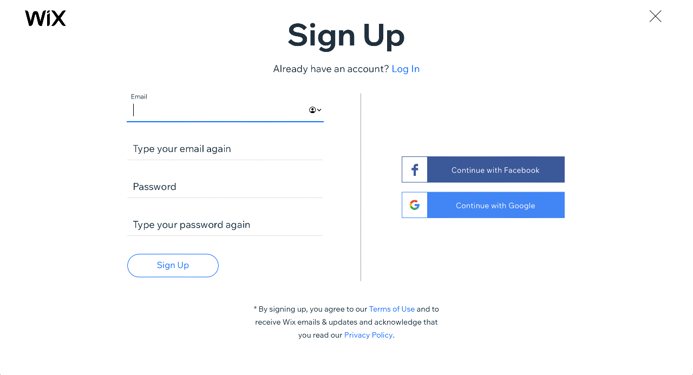
Step 1. Sign up
Step 1. Sign Up Wix

Wix offers 8 pricing plans that you can choose from and then pay for through the Wix payment plugin which has made your ecommerce payments on Wix super easy. It’s the same with all subscriptions, the more you pay, the more features you get. But, you can also choose a free plan, the only thing is, you’ll have to sacrifice a professional domain name and allow for on-site ads to irritate you.

That’s why we recommend the Premium plans – they’re cheap enough and open up more business opportunities.


The Wix Premium plans are:

  1. Combo plan: R272.85/month
  2. Unlimited plan: R348.64/month
  3. Pro plan: R424.43/month
  4. VIP plan: R712.44/month
  5. Business Basic plan: R424.43/month
  6. Business Unlimited plan: R500.22/month
  7. Business VIP plan: R848.86/month
  8. Enterprise plan: Custom pricing (for large businesses)


Step 2. Choose a template
Step 2. Pick Your Website Template

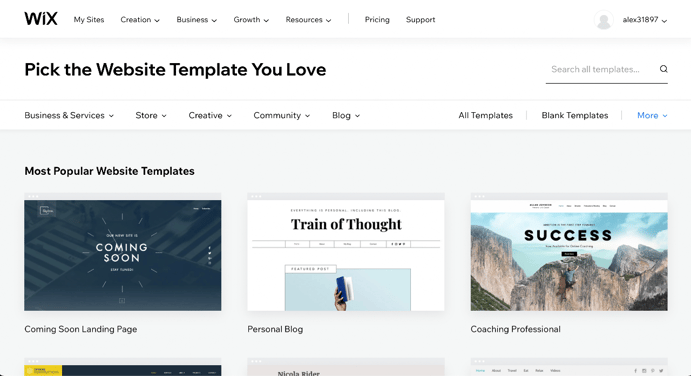
In order to get started, you’ll want to click on “Create a New Site” from the drop-down menu. After clicking, Wix will ask you what kind of website you want. So, you can choose from business, designer, blog, online store, restaurants and food, beauty and wellness photography, accommodation, portfolio and CV, music, events and others.

As you can see you’re spoilt for choice with Wix and you haven’t even picked a template yet. You’ll then be taken to a relevant page of templates to choose from based on your selection. And get this, there are 500 templates in total, so if your dream template isn’t there, you probably don’t dream.


Step 3. Update text and images
Step 3. Update Text & Images _ Wix

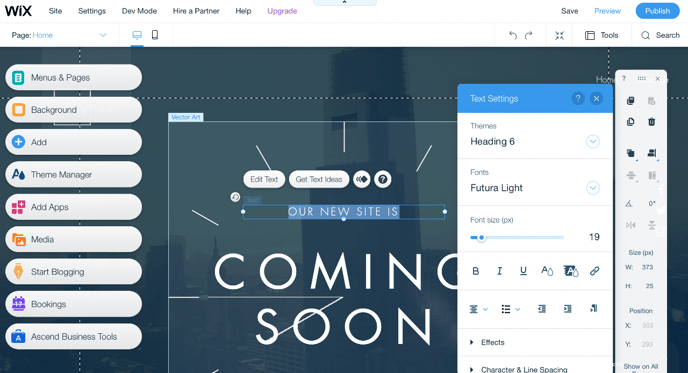
Now you’ll want to update your blog details, company, or portfolio. Click on the text you would like to change and simply rewrite it. It really is that simple. Feel free to change the font, size, colour and switch from bold to italics if you want.

If your template comes with an image and you want to change it, all you’ll have to do is click on the image and delete or replace it with something you prefer.


Step 4. Personalise your background

Wix Editor

If small images in your background aren’t what you want, you can change the entire template background to something of your choice by simply clicking “Background”.  According to the best (UX) User experience trends of 2019, the most popular background for your template is actually a video.


Step 5. Add your pages
Step 5. Wix Editor

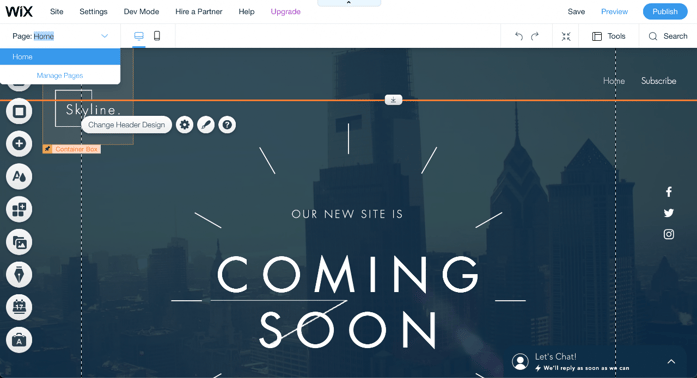
To make sure that your visitors get the full experience of your website, you should create some more pages after you’ve created the homepage. For example, always make sure to include an About Us page and a Contact Us page. Click the down arrow next to the page you’re on at the top of the editor, then click “Manage Pages” in order to add a page.


Step 6. Add apps
Step 6. Wix Editor

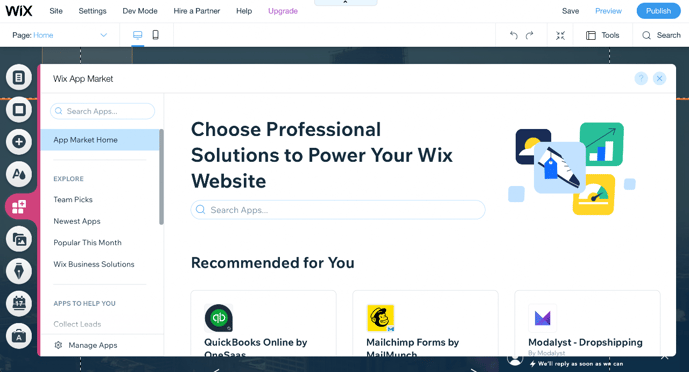
You don’t have to worry if your site still feels a little plain because adding a few bells and whistles here and there really aren’t difficult at all. So, all you have to do is take a very enjoyable virtual tour through the Wix App Marketplace and pick out your favourite apps among 250 of them.


Step 7. Set up a blog

Step 7. Wix Editor

Keep a hold of your audience’s eyes and ears with a cool and informative blog. All you need to do is click the pen-shaped “Start Blogging” button in order to get started. You can also add some cool new features to your blog by clicking the same pen-shaped button to add in some events, Instagram feeds, or an RSS button.


Step 8. Optimise for search engines
Step 8. Wix Editor

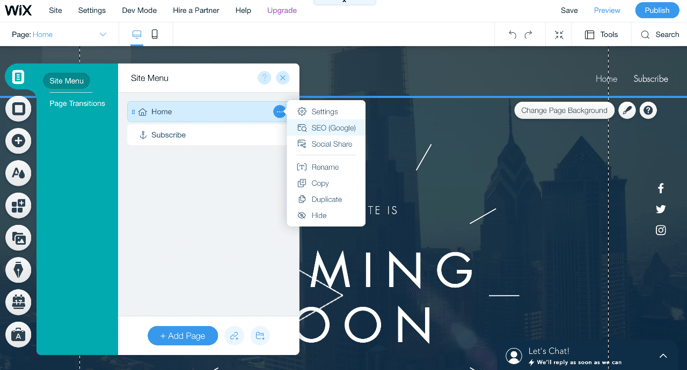
Look to the left of the site editor and click “menus and pages”, then click on the “… “ to be presented with an option of clicking on “SEO Google” which will give you control over basic SEO functions.


Step 9. Mobile-friendliness
Step 9. Wix Editor

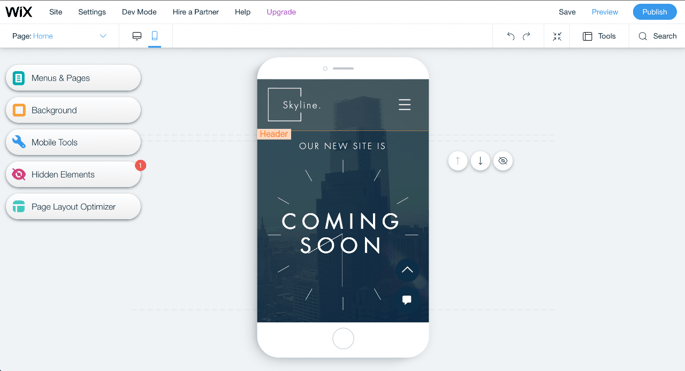
You have to make sure that your site looks great or even better on a mobile device given the fact that 40% of people search mainly on a smartphone. To start, click on the mobile icon at the top of the editor to have a look at what your website will  look like on a mobile device. Luckily Wix Editor has already made a mobile-friendly website format for you. If you still want to change it then you can without affecting the desktop version of your site.


Step. 10 Choose your domain name & hit publish
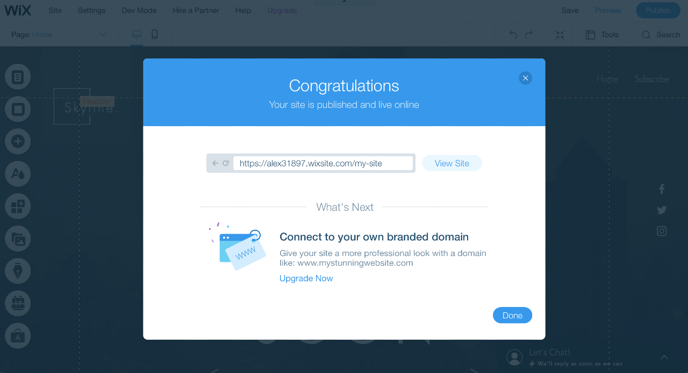
Step 10. Wix Editor

Wait! Before publishing your website, you’ll need a domain name. You unfortunately won’t be able to do this with Wix’s free plan, but you’ll have to do it with the other payment plans.

By now you should be done editing your website with the world waiting to view. Remember that nothing is set in stone and that you can still edit your website after publishing it.

Once you’ve finished editing your website, click “Publish” next to “Preview” and your site will go live. It’s really as easy as that with Wix Website Editor. Now all that’s left to do is set up your payment gateway so you can start accepting online card payments.

Scale with Peach
Learn how we help scale some of Africa's most exciting businesses

Business tips, case studies, interviews with online store owners and business trends…

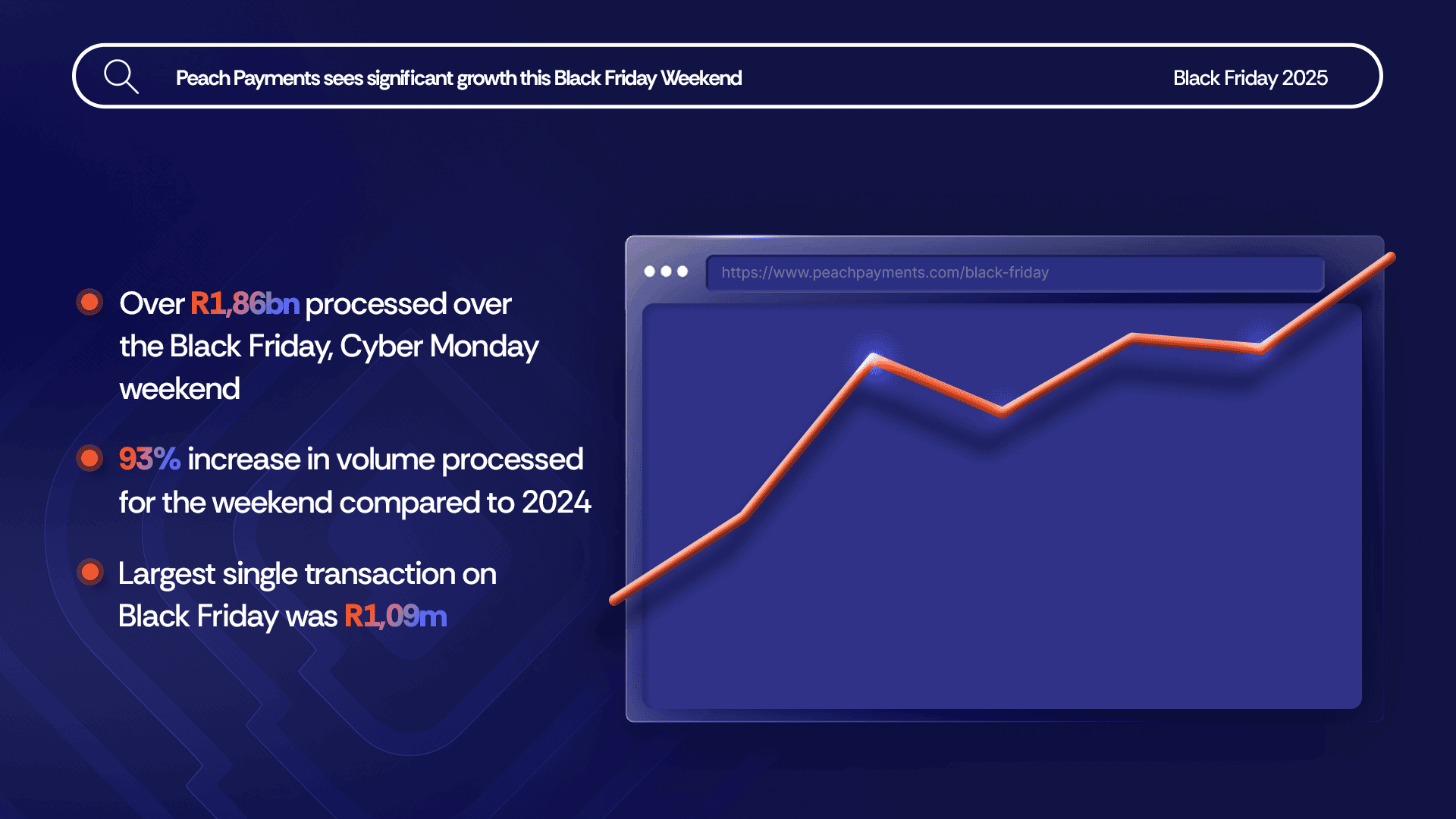
Black Friday up 93% over 2024, R1,86bn processed

South Africa-based digital payments platform Peach Payments shares 2025 Black Friday, Cyber Monday weekend results.

Samsonite in-store payment methods

Choose your favourite way to pay! Samsonite offers MoneyBadger, Payflex, RCS and Mobicred.

How global and regional companies can use the Mauritius IFC to centralise online payments and treasury functions

Learn how the IFC is swiftly becoming a pivotal hub for global and regional companies seeking to optimise online payment acceptance and centralise treasury operations.

# PeachFriday Merchant Deals 2025

Check out the amazing Black Friday sales that some of our favourite stores are running!

A merchant’s guide to chargebacks

Payments 101: Chargebacks won't disappear. Here is a guide on how to manage them. Chargebacks aren’t simply refunds wrapped in admin. They’re a formal, bank-led reversal of a card payment after a customer disputes a transaction.

Four Black Friday payment realities for merchants

Discover the four Black Friday payment realities Enterprise merchants need to consider to build trust with customers and grow revenue with help from a world-class payment gateway.

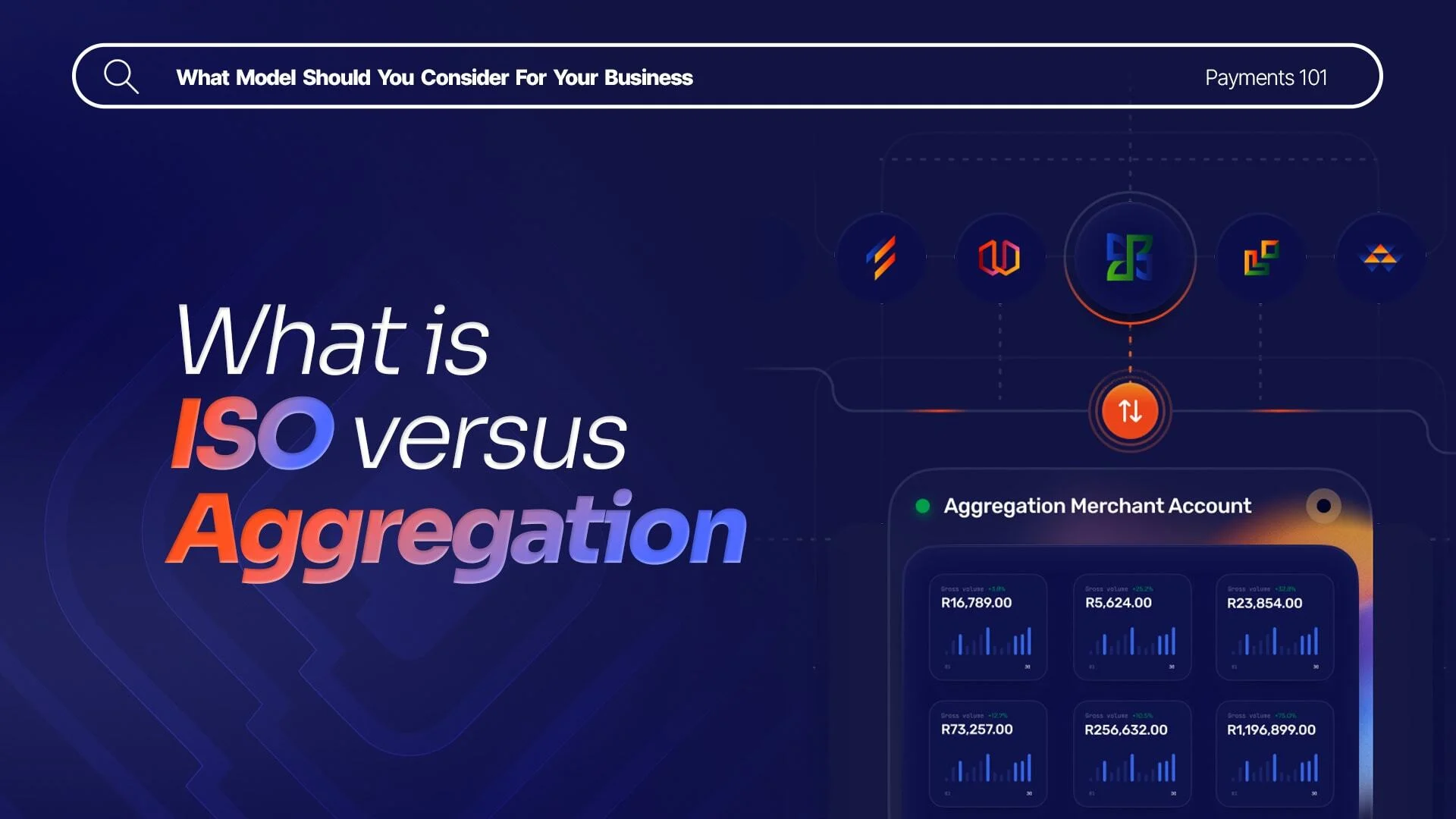
What are Direct Merchant Accounts (ISO) versus Aggregation Accounts?

What payments processing model should you consider, thinking of diving into the world of online payments? It's more than just accepting a transaction payment.

What Is 3RI? Everthing you need to know about Requestor-Initiated Authentication

Payments 101: Why 3RI is set to change recurring transactions, subscription renewal, installment payment, or delayed shipping charges.

Highlights from the 2025 World Wide Worx Online Retail Report

The 2025 World Wide Worx report, sponsored by Peach Payments, Mastercard and AskAfrika, reveals that convenience is now the benchmark, trust is the currency and payments are the bridge.

What is Interchange? Everything you need to know about interchange fees

Payments 101 : A clear guide for SA merchants on fee flows. Interchange fees can feel like a complex part of the payments world, but they're a big deal for any business that accepts card payments.

Cadana Pay x Peach Payments: Unlocking seamless global Payouts

The API integration process was one of the smoothest they had experienced, completed by an engineer in just two to three days. With 50-55% cost savings, Cadana Pay significantly reduced costs by switching to Peach Payments.

Peach Payments announces real-time clearance Payouts

The new payouts solution lets merchants top up their float and make disbursements to merchants and recipients in just minutes, through either a single API or through the Peach Payments dashboard.

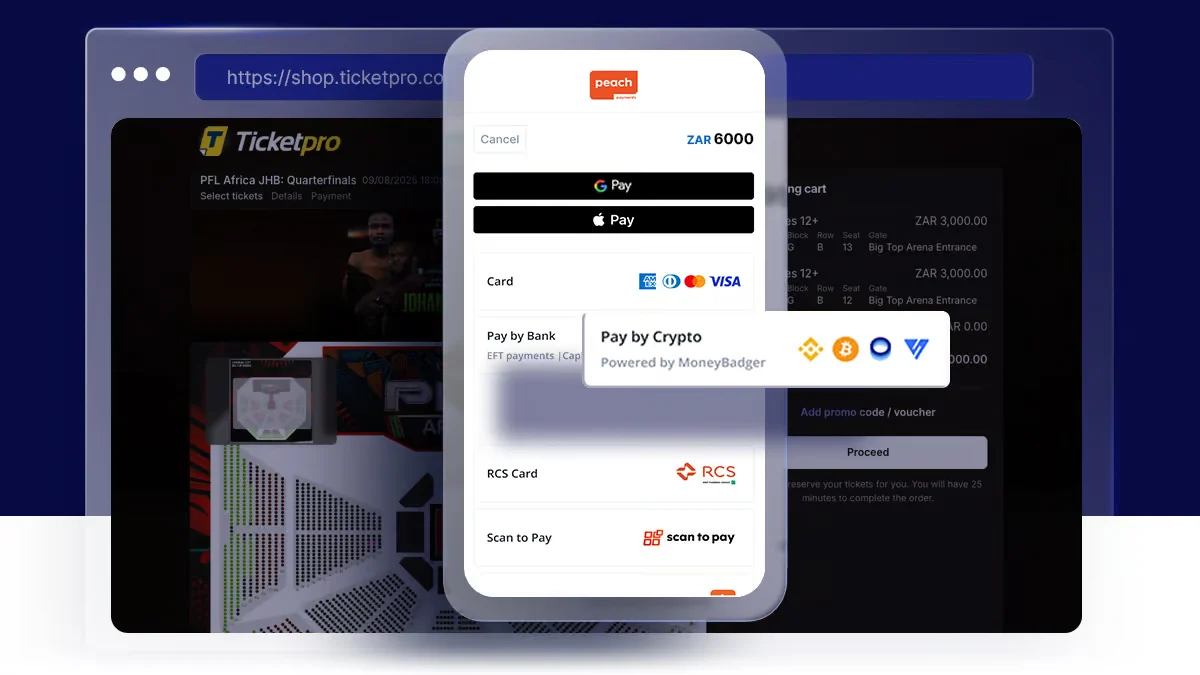
Peach Payments x MoneyBadger partnership goes live

From light fittings and spades to groceries and tickets, Bitcoin-savvy consumers are keen to spend their crypto

Peach Payments launches enterprise-level POS terminal

Delivers a single view of all transactions, with customisable checkout flow and easy integration into existing POS solutions.

iTickets x Peach Payments Point of Sale

By partnering with Peach Payments, iTickets transformed its payment infrastructure into a strategic asset. Building unforgettable experiences at their events and a better experience for their valued customers.

Peach Payments x Digicape: Powering Premium Apple Experiences with Seamless Payments

By partnering with Peach Payments, Digicape transformed its payment infrastructure into a strategic asset, driving significant growth, enhancing operational efficiency, and providing a better experience for their valued customers.

Peach Payments acquires West-African payments gateway PayDunya

Peach Payments expands into six West African countries representing an exciting chapter in their journey to build a truly pan-African payment ecosystem.

The Battle for Card Security

How Your Payment Integration Defines Your PCI DSS Scope

Navigating International Transactions

Understanding Dynamic Currency Conversion (DCC) and Multi-Currency Pricing (MCP)

Seize the Sale with Buy Now, Pay Later

Discover how South Africans are embracing BNPL, and merchants are reaping the rewards.

2024 Wrapped: A Year of Innovation and Growth at Peach Payments

Peach Payments is paving the way for a transformative 2025. From Pay by Bank to Embedded Checkout, explore how we revolutionised payments in 2024

RCS payment option now available through Peach Payments

RCS allows customers to make seamless online purchases with their card, enhancing the overall shopping experience

Peach Payments sees impressive growth this Black Friday Weekend

The Leisure & Entertainment industry grew its share of online sales over the four-day Black Friday weekend by 113% from last year

#PeachFriday Merchant Deals 2024

Check out the amazing Black Friday sales that some of our favourite stores are running!

Your Ultimate Guide to Payment Security for Black Friday

What You Need to Know About PCI DSS 4.x

Scaling with Peach Payments: Unveiling the Product Roadmap

Peach Payments' latest innovations and future plans, emphasising customer-centric solutions and trailblazing advancements in the African payments industry.

Scaling with Peach Payments: Revolutionising Reconciliation

Streamline your transaction reconciliation with Peach Payments' new Recon API, designed for speed, accuracy, and scalability in high-volume operations.

Scaling with Peach Payments: The Future of Payments

Learn how Peach Payments is leading the future of digital payments, by offering the top payment methods consumers are demanding today.

Scaling with Peach Payments: How Peach Payments is Keeping Your Business Safe

A Deep Dive into the Importance of Payment Security and How Peach Payments Ensures Robust Protection.

Scaling with Peach Payments: Insights from the Think Bigger Summit 2024

Discover the impactful journey of Peach Payments innovating payment solutions over the past 12 years, and future plans to empower businesses across Africa.

Peach Payments named Top 100 Fintech Startups by CB Insights

Learn how Peach Payments made the 2024 Top 100 Fintech Startups by CB Insights, recognised for innovation and excellence in financial technology

Peach Payments partners with Sukhiba for conversational commerce

Partnership opens up WhatsApp sales channel for merchants preparing for Black Friday

What are you looking for?

Côte d'Ivoire
Burkina Faso
Benin
Dakar
Senegal
Moka
Mauritius
Nairobi
Kenya
Johannesburg
South Africa
Cape Town
South Africa